by jamesgeorge | Mar 18, 2010 | Tutorials
The 3D option in Illustrator is a great tool for rendering quick 3-Dimensional shapes for your design work. First we are going to make a solid vase shape. Then, we are going to edit it to make it a hollow 3D vase, so you can see how to do a live edit on a vector 3D...
by jamesgeorge | Mar 17, 2010 | Photoshop, Tutorials
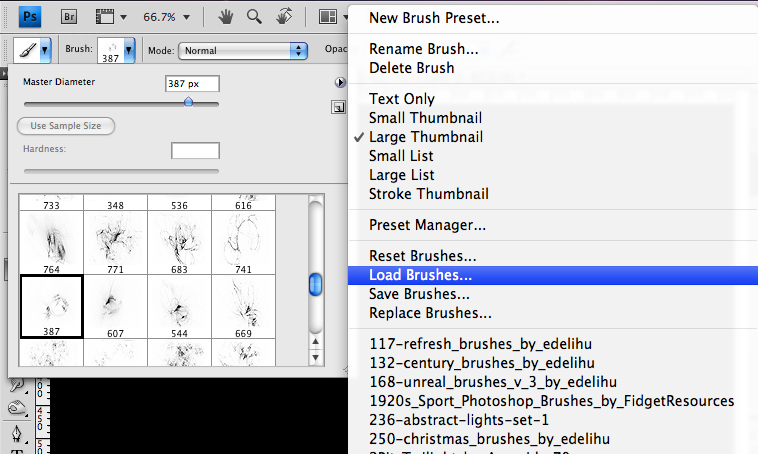
Glow Effects in Photoshop This is really simple to create, and you can apply it to anything that is white. First, create a new Photoshop document. I created one set to the size of 1024 x 768. You can go to any good brush source online, such as Brusheezy and search for...
by jamesgeorge | Mar 13, 2010 | Articles
First off, this is a list of who I consider to be some of the top notch resources and sites for creative professionals. I have received no endorsements, fees, bribes, or persuasion from any outside sources. This is strictly upon my personal evaluation. 1. AIGA- This...

by jamesgeorge | Mar 12, 2010 | Tutorials
This is a really easy trick to give you a gradual fade on any object in Illustrator. This works well for reflections. First, make your object and make a copy, and go to object>Reflect>horizontal. This will flip the copy, to where it is upside down. Position your...
by jamesgeorge | Mar 11, 2010 | Tutorials
⌘+shift + i inverts the current selection ⌘+⌥+Z gives you an undo as man times as your history will allow. ⌘+Shift +E merges all visible layers ⌥ +shift + ⌘ + K brings up a list of all photoshop keyboard shortcuts. ⌘ + K brings up the preferences menu ⌘+ shift +S does...

