by jamesgeorge | Jul 1, 2010 | Photoshop, Tutorials
This is a really quick and easy way to sharpen an image. Take an image and open it in Photoshop. Hit command +J (control+J on PC) to duplicate the layer. Then, change this layer’s blend mode to overlay in the layers panel. Then go to Filter>Other>High Pass...
by jamesgeorge | Jun 13, 2010 | Articles, Basics
In design there are principles out there that make our designs interesting and there are others that are valuable aspects to consider when creating a design. These principles can be used to your advantage, making your designs stronger. One aspect of design is that our...
by jamesgeorge | May 30, 2010 | Articles, Photoshop
This tutorial is great for adding quick and simple contrast to a photo. When using this in your design, it is a good idea to choose a subject that has to do with target market. To start, find a photograph with a main figure of subject in the middle, with a lot going...

by jamesgeorge | May 25, 2010 | Articles, Photoshop, Tutorials
When we are designing a layout, sometimes it can be difficult and time consuming to find multiple images for a layout that will work together and create a sense of unity to our design. There are so many resources available, such as the stock photography web sites, or...
by jamesgeorge | Apr 30, 2010 | Photoshop, Tutorials
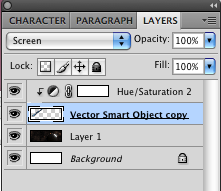
Different Blend modes can help you to blend different objects together for compositing images. Recently, I was playing around with a few space images and came across a comet that I wanted to blend into a space background. This was quick and easy: Since the background...
by jamesgeorge | Apr 3, 2010 | Photoshop, Tutorials
This is a great way to take a still photo and create motion around your subject, to give it some extra depth and narrower focus on the subject. First, select a good action shot, such as a sports shot, or a car shot. First, duplicate the background layer, so that we...

