Adobe

Quiktip: Have The Masks Panel

The masks panel is a big help, because you can easily edit and refine your masks via a handy panel. From the masks panel, you can define the density of your mask, which is very handy. Instead of having a black and white mask, the density setting lessens the affect, as...

read more

Create a Quick Photo Gallery Using Lightroom

I really like to create my own image galleries, but let's face it, in the real world, we can't always have things how we want them. Sometimes we need to get the job done in the best possible manner, as quickly and effectively as possible. When I need a quick image...

read more
Playing with Opacity and FX In Illustrator

Playing with Opacity and FX In Illustrator

Opacity has a lot of uses for different types of effects. We like to see certain things bleed through in some areas, while in others we want a shape or text to be a certain color. Recently, I was playing around with opacity in the appearance panel in Illustrator, and...

read more

Web Site Design: Choose Your tools Wisely

There is certainly a lot to consider when laying out your site design. There are so many tools to help you out, and so many methods to get the job done. You really have to consider what your needs are, and which method will help you accomplish them. When I design a...

read more
Create a Painterly Effect Easily In Photoshop

Create a Painterly Effect Easily In Photoshop

This is a neat trick that is easy and creates a subtle painterly effect with just two filters. First, find an image and open it inside of Photoshop. Then, hit Command +J (Ctrl + J on the PC) to duplicate your background layer. Do this twice, because we are going to...

read more
Exploring the Blob Brush In Adobe Illustrator

Exploring the Blob Brush In Adobe Illustrator

This tool is one of the best tools if you want to create a sketch within Illustrator. You can really draw and add to an existing shape like you would if you were drawing with an ink pen. the best part about this, is that with a drawing tablet, you can very closely...

read more
Easy Grids in Illustrator

Easy Grids in Illustrator

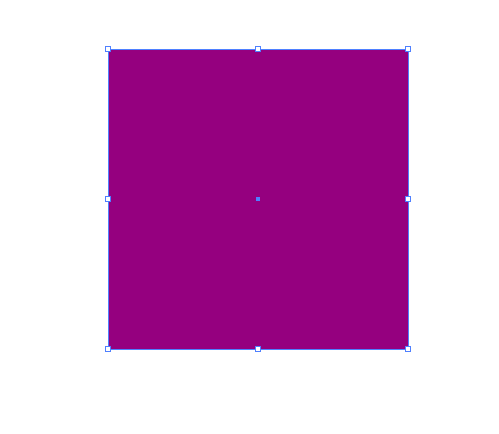
This tip is to save time when creating a group of squares or any type of grid in Illustrator. This is a good trick for making easy grids in Illustrator. For our purposes, I am creating a 300px by 300px square and it is filled with purple. You can make yours any color...

read more

Adobe Launches Lightroom 3

Professional photographers and image editors alike will rejoice in knowing that Adobe has released Lightroom 3. Lightroom 3 has been given a lot of new enhancements to make cataloging your images much easier. Not only can you make quality adjustments to your images,...

read more

Is There a Limit to How Much We Can Do?

I was having a discussion with a colleague the other day about design and all the things that we know how to do. The topic came up where he found out that i don't know ajax, which I admittedly, don't even know exactly what that does. My response to him was that I am a...

read more
Creative Contrast With a Background Blur

Creative Contrast With a Background Blur

This tutorial is great for adding quick and simple contrast to a photo. When using this in your design, it is a good idea to choose a subject that has to do with target market. To start, find a photograph with a main figure of subject in the middle, with a lot going...

read more

Equipment: does it really make our designs any better?

There have been so many times where I have been talking to colleagues and other digital artists and I have heard them say "I am saving up for a new Apple Macbook Pro", or "I am saving up to build a new super PC, I will be able to design much better on a faster...

read more

My Take on Steve Jobs and Flash

I am sure that everyone has heard the buzz going on around the internet with Steve Jobs not supporting Flash on Apple devices. I have gotten dozens of emails asking my take on this issue, which I will address. While I am not an avid animator, I certainly understand...

read more

Quickly Remove Background Imagery in Photoshop

Remove Background I do a lot of image editing, especially since I work on a lot of catalogs. I have companies that send in all sorts of images, including ones that are shot professionally on a white background in a studio, and those that are shot in bad lighting and...

read more
Places to Go for Inspiration and Self Reflection

Places to Go for Inspiration and Self Reflection

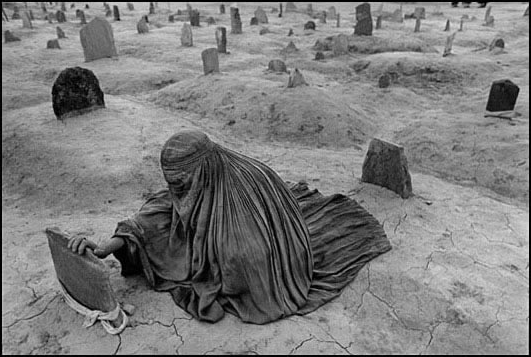
Some of these sites will inspire us as designers, artists, and photographers. Others will make us think about how we are all responsible for our actions, and how what we do can make a huge impact. WITNESS DAVID B. REEVES FERIC BENJAMIN KRAIN CHRIS BUZELLI CATH RILEY...

read more

Create a cool motion effect from a still shot in Photoshop

This is a great way to take a still photo and create motion around your subject, to give it some extra depth and narrower focus on the subject. First, select a good action shot, such as a sports shot, or a car shot. First, duplicate the background layer, so that we...

read more
Dotted Stroke in Illustrator

Dotted Stroke in Illustrator

Creating a dotted line stroke in Illustrator First, create a new document in Illustrator. I created one 1024 x 768. Then, select a typeface that you want to use and create a nice large word or couple of words. For our purposes, I am taking away the fill to see the...

read more